

How to manage website collaborators' roles
what can an editor do. permissions. who can do what. owner editor roles
In this tutorial, we will guide you through the process of changing a member’s role.
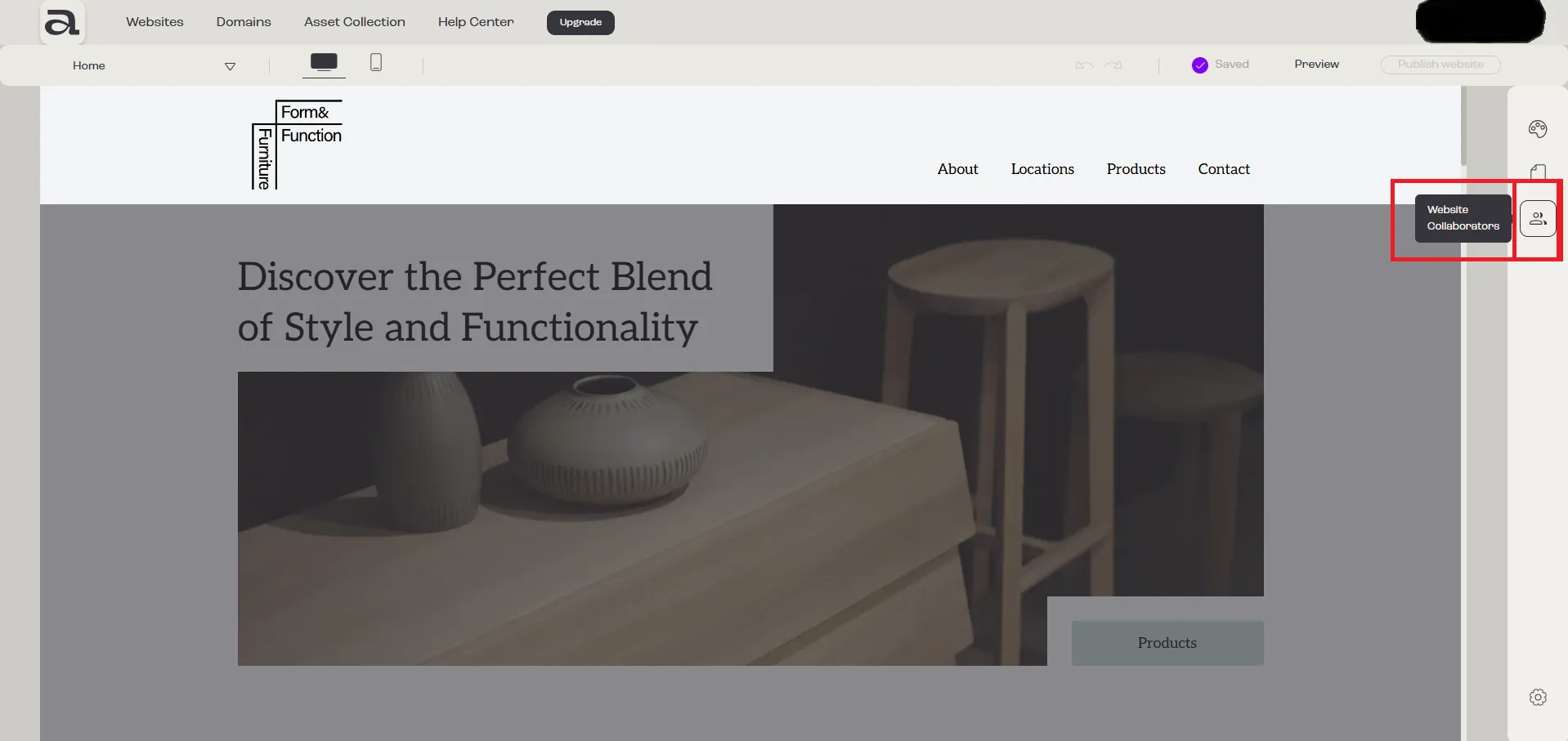
Step 1 - Open “Website Collaborators”
Section titled “Step 1 - Open “Website Collaborators””Click on the “Website Collaborators” button.
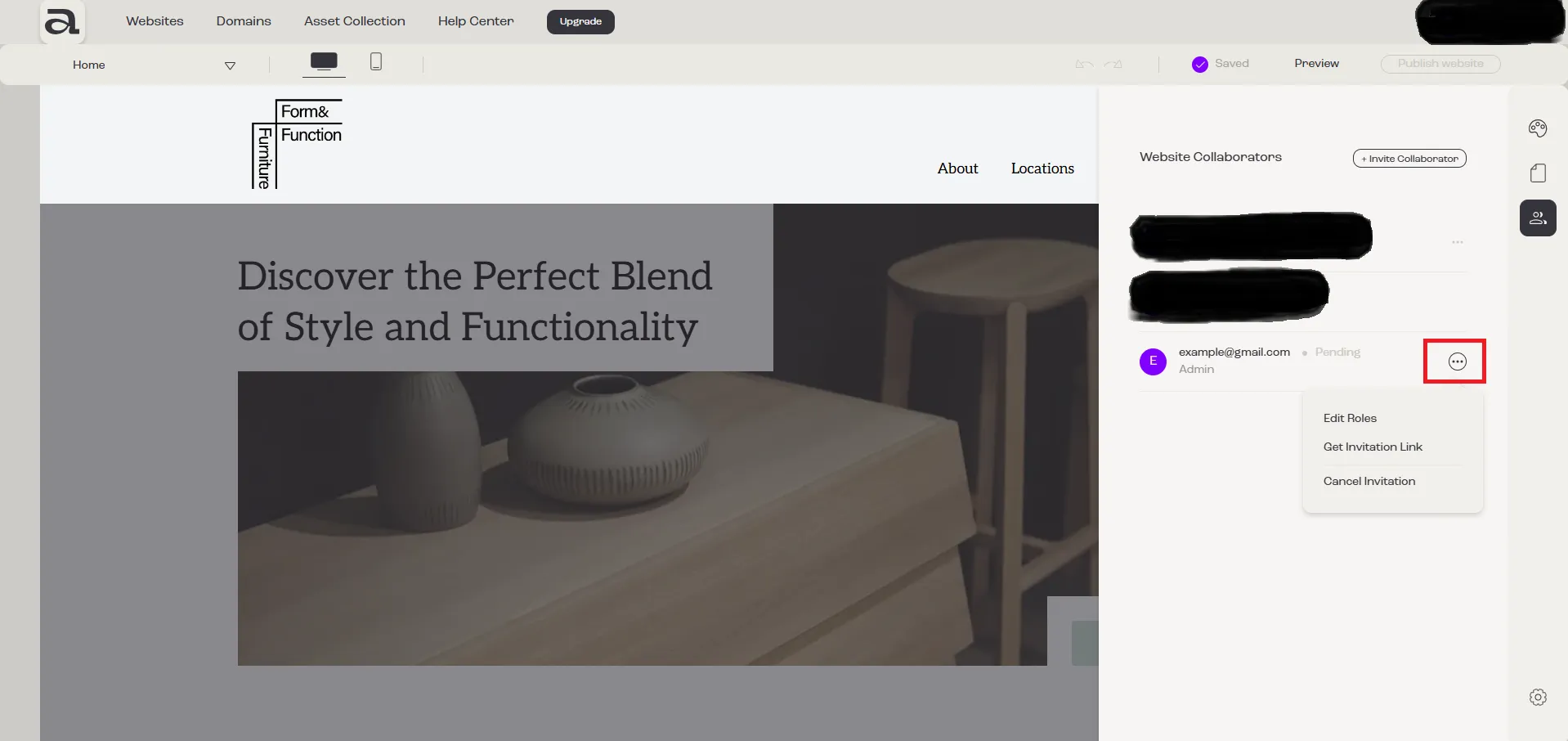
Step 2 - Open menu
Section titled “Step 2 - Open menu”Click on the three-dot menu next to the member whose role you want to change.
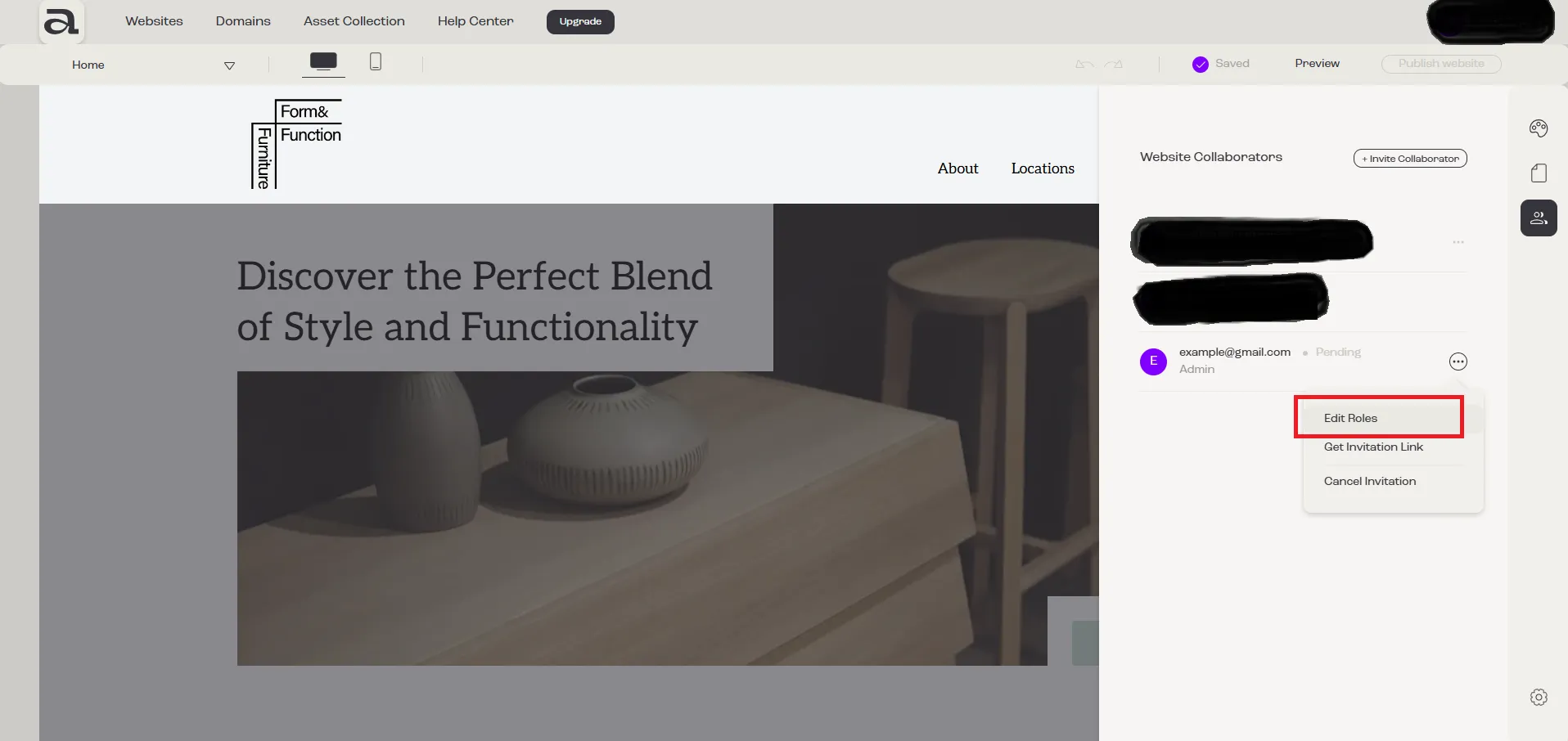
Step 3 - Edit Roles
Section titled “Step 3 - Edit Roles”Click on “Edit Roles”.
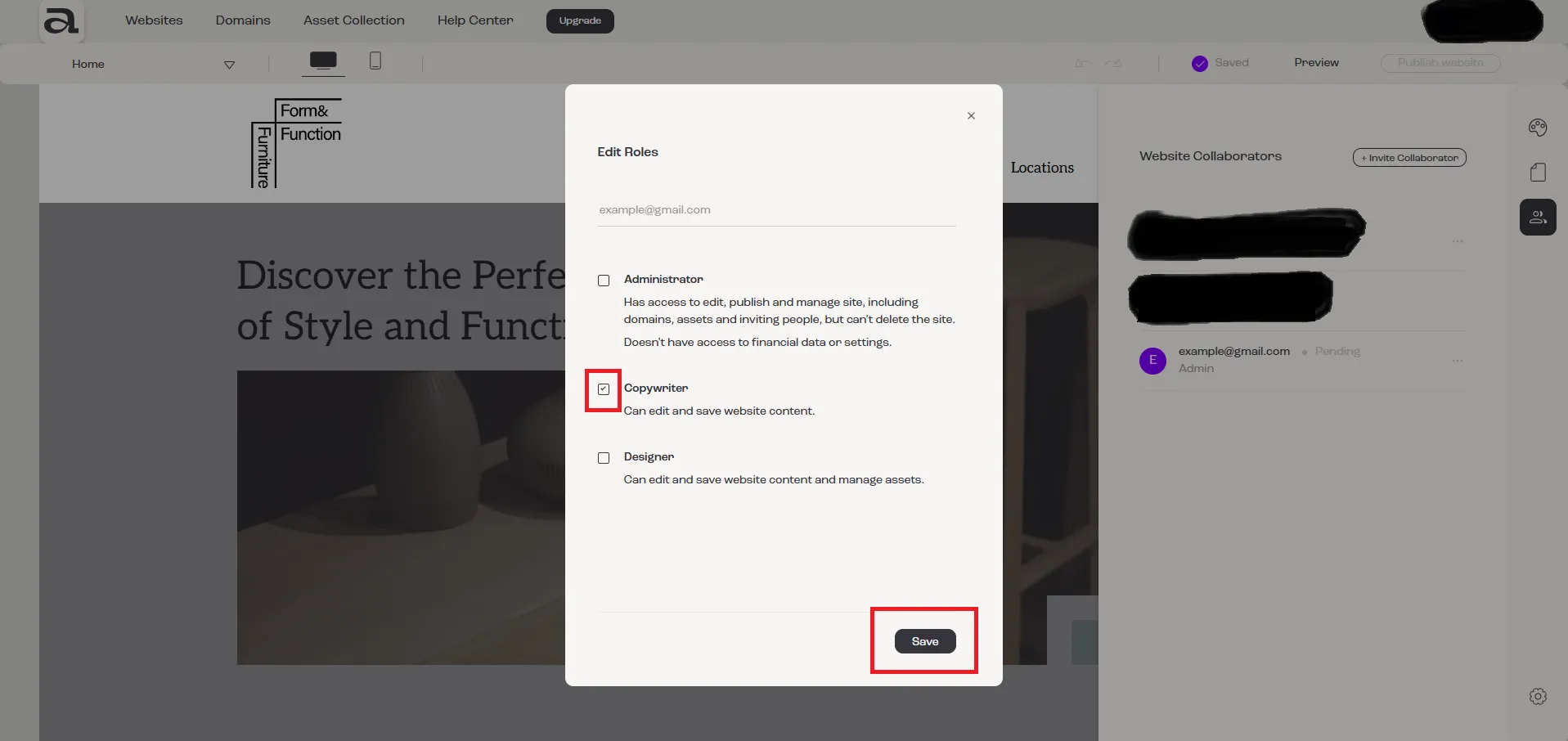
Step 4 - Change Roles
Section titled “Step 4 - Change Roles”In the “Edit Roles” modal, select the desired role(s), then click on the “Save” button.
Next steps
Section titled “Next steps”- how to invite a collaborator
- how to cancel an invitation
- how to accept an invitation